

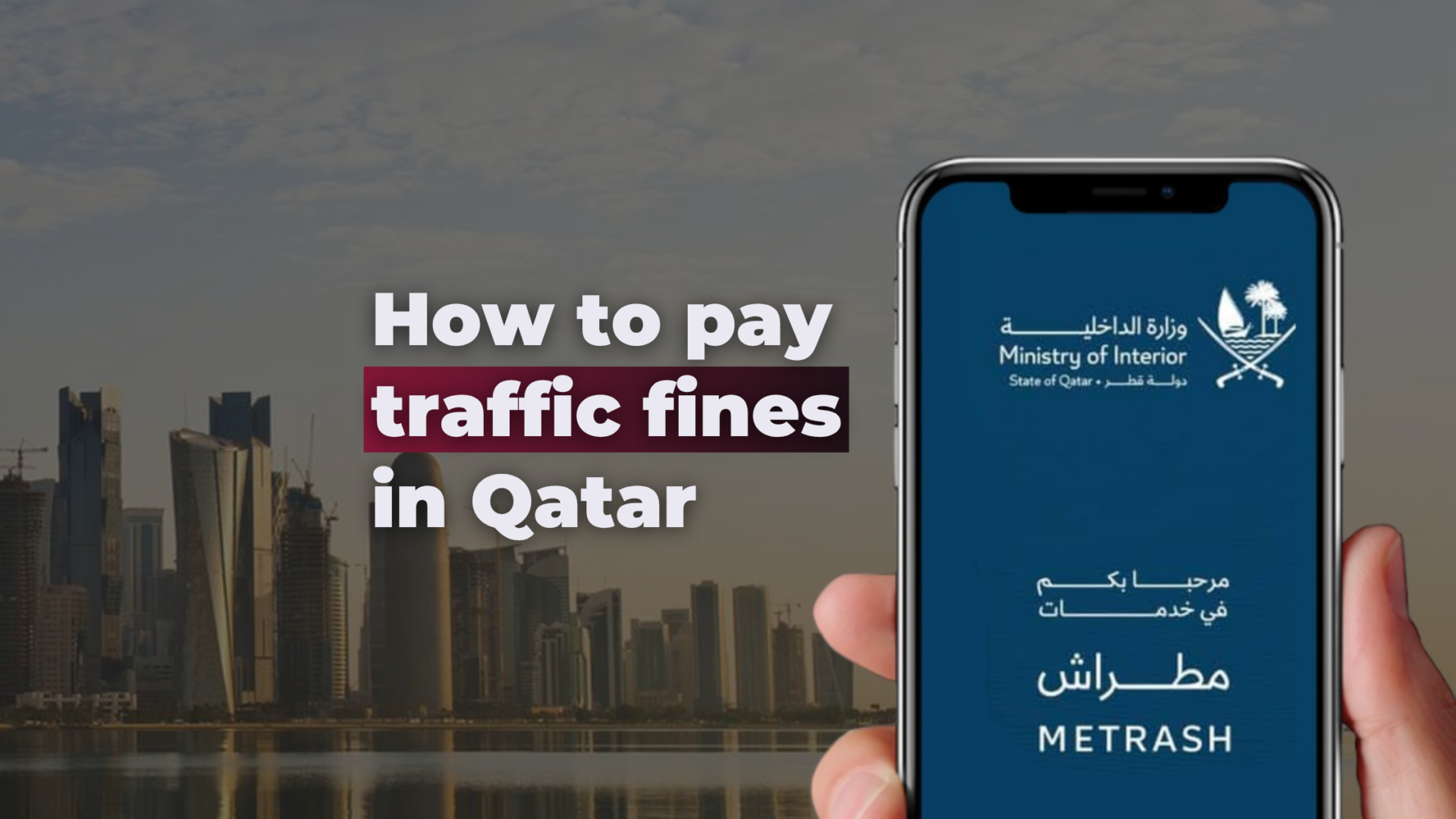
If you have been driving in Qatar for any length of time, you have probably dealt with a traffic fine at least once. Whether it was a speed camera you did not notice on the Salwa Road or a red light flash somewhere near Al Waab, knowing exactly how to check and pay Qatar traffic fines quickly and without going anywhere is one of those practical things every resident should have sorted.
This guide covers everything: how to check your fines using the official Metrash app, how to pay them, the 50% early payment discount most people miss, how to view your black points, and a brand new feature that lets you pay traffic violations for your family and friends directly from your phone.
Whether you are a new expat still learning the ropes or a long-term Doha resident who just wants a faster process, this is the only guide you need.
What is the Metrash app and why does it matter for traffic fines in Qatar?
Metrash (also referred to as Metrash2) is the official mobile application of the Qatar Ministry of Interior (MOI). It is the primary digital platform for handling government services in Qatar, from residency and visa inquiries through to vehicle registration, driving licence checks, and most relevant here traffic violation management.
The app is free to download on both iOS and Android. It is developed and maintained directly by the MOI, which means the fine data it displays comes straight from the official government database. There is no third-party involvement, no delays from a middleman, and no risk of checking a fine on an unofficial platform and getting outdated information.
For Qatar traffic fines specifically, Metrash allows you to check fines by your Qatar ID (QID) or vehicle plate number, pay them 24 hours a day by Visa or Mastercard, view accumulated black points on your driving licence, and as of the latest update pay traffic violations on behalf of family members and friends.
The app is available through the Apple App Store and Google Play Store. When downloading, confirm the developer listed is Ministry of Interior State of Qatar to ensure you are installing the official version.
How to register and log in to Metrash
First-time users need to set up an account. You need a valid Qatar ID (QID) and a Qatari mobile number that is registered under that same QID in the MOI system. The process takes about five minutes.
Open the app and tap Register. Enter your 11-digit QID number. Enter the mobile number linked to your QID. You will receive a one-time SMS passcode (OTP) enter it before it expires. Set a password of at least eight characters. Log in with your QID and password. After your first login, you can enable biometric login such as Face ID or fingerprint for faster access.
One important note: if your mobile number is not currently linked to your QID in the MOI database, you will not receive the OTP and registration will not complete. If this happens, visit an MOI service centre or a Metrash self-service kiosk to update your registered mobile number, then try again.
How to check Qatar traffic violation fines on Metrash
Checking your MOI traffic violations is the most common reason people open the Metrash app. Here is how to do it step by step.
Log in with your QID and password. From the main menu, tap Traffic Services. Select Violations. The app will display all active traffic fines registered against your QID or your vehicle plate. Each entry shows the violation type, the date it was recorded, the fine amount in Qatari riyals, the black points applied, and the current payment status.
If you want to check by plate number rather than QID – for example for a vehicle you own that is registered under a different QID – you can switch the search to plate number within the same Violations section.
One thing to know about timing: officer-issued fines typically appear in the system on the same day. Camera-detected fines, including those from radar systems, red light cameras, and the AI camera networks now active on major Doha roads, can take 24 to 48 hours to show up. If you believe a fine was issued but nothing is showing, check again after 72 hours or contact the MOI Traffic Department directly.
For those who prefer not to use the app, the same fine information is accessible through the MOI web portal at portal.moi.gov.qa without needing to download anything. The portal draws from the same database and displays identical information.
How to pay Qatar traffic fines via the Metrash app
Paying your traffic violation fines through Metrash is straightforward. The app accepts Visa and Mastercard credit and debit cards, payment is available around the clock, and a receipt is generated the moment the transaction goes through.
Go to Traffic Services, then select Violations. Your active fines will appear listed. Tick the fine or fines you want to pay — you can select multiple and pay them together in a single transaction. Tap Pay and review the total amount. Enter your card details or select a saved card if you have used the app before. Confirm the payment. A receipt appears immediately and is saved in your app history.
The whole process takes under two minutes once you are logged in.
The 50% traffic fine discount in Qatar – and how to claim it through Metrash
This is the detail most people do not know about when they first get a fine. Qatar traffic violation fines are automatically reduced by 50% if you pay within 30 days of the violation being registered in the MOI system.
You do not need to apply for it, call anyone, or navigate a separate process. When you open the Violations section in Metrash and view a fine that is within the 30-day window, the discounted amount is displayed automatically before you confirm payment. The app shows you exactly what you will pay. If the discount window has passed, the full amount is shown instead.
This discount applies across most standard traffic violations including speeding tickets recorded by Qatar’s radar camera network. For a complete breakdown of which fines are eligible and the full eligibility rules.
The practical takeaway: when you get a notification about a new fine, do not delay. Pay within 30 days through Metrash and you pay half price.
New Metrash feature: how to pay traffic violations for family and friends
This is the most significant recent update to the Metrash app, announced by the Qatar Ministry of Interior. You can now pay traffic fines on behalf of other people’s vehicles – including those belonging to family members and friends – directly from within the app. You do not need to be the vehicle owner or the registered driver.
The feature is called Other Vehicle Violations and sits under Traffic Services in the Violations section.
Here is exactly how to use it.
Open Metrash and log in with your own credentials. Go to Traffic Services from the main menu. Tap Violations. At the bottom of the Violations screen, you will see an option labelled Other Vehicle Violations — To pay off the fines of family and friends. Tap it. You are now in the third-party payment section. Enter the plate number of the vehicle whose fines you want to pay. Select the vehicle type (private vehicle or other category). Enter the Qatar ID (QID) number of the vehicle owner. Tap Continue. The fines registered against that vehicle and owner will appear. Select the amount you want to pay. Choose your payment method. Confirm. Done.
A payment receipt is generated immediately and can be shared with the person you paid the fine for.
To use this feature, you need the plate number and the QID of the vehicle owner. Without the QID, the search will not return results, as the MOI system links fines to both the vehicle and the registered owner’s identity.
This feature is particularly useful during busy periods like school runs when a family member may have picked up a fine in a car registered under another family member’s name, or when a friend asks you to settle a fine on their behalf while they are travelling.
How to view black points on Metrash
Black points in Qatar accumulate against a driver’s licence when traffic violations are committed. Viewing your current black points total through Metrash is straightforward.
Log in and go to Traffic Services. Select Violations. Your personal violations page shows your active fines along with the black points associated with each recorded violation. The total accumulation is visible within the same section.
Qatar’s black points system works on a 12-month rolling window. Points recorded in the past 12 months count toward the suspension threshold. Once you reach 14 black points, your driving licence is suspended for three months. Between 8 and 13 points, you are in a warning zone where further violations carry heightened risk. For the complete breakdown of how many points each violation type carries and how the reset works.
Checking your black points regularly through Metrash is one of the simplest habits that can prevent an unexpected licence suspension.
Other traffic services available on Metrash
Beyond fine checking and payment, the Metrash app gives Qatar residents access to a wider range of traffic and vehicle services without needing to visit an MOI centre.
You can check your driving licence status, expiry date, and category. You can view your vehicle registration status and when your Istimara is due for renewal. Accident reports associated with your vehicles are accessible under Traffic Services. Vehicle clearance certificates for transfer or export can be requested. If you have delegated driving authority to someone else – a common arrangement for company vehicles in Qatar – delegation services are also available through the app.
For everyday vehicle and licence management, Metrash covers most of what Qatar residents need without a physical visit.
Metrash vs the MOI web portal: which should you use?
Both the Metrash app and the MOI portal at portal.moi.gov.qa connect to the same government database. Fine information is identical across both platforms. The choice between them is purely about convenience.
The Metrash app is the better option for residents who manage fines regularly. Biometric login, saved payment cards, and a faster navigation path make repeated use quicker than the web portal. The app also supports the new Other Vehicle Violations feature for paying fines on behalf of others.
The MOI web portal is more accessible for visitors and tourists. It allows a basic fine check using only a vehicle plate number, without requiring a QID or a registered account. For people in Qatar on short visits or for those checking a rental car’s fine status, the portal is the practical choice.
Common Metrash problems and how to fix them
OTP not arriving during registration: This almost always means your mobile number is not linked to your QID in the MOI system. Visit any MOI service centre or a Metrash kiosk — there are several across Doha including at the main Traffic Department on Corniche Road — and ask them to update your registered mobile number. Then attempt registration again.
Fine not appearing after a violation: Camera-detected fines take 24 to 48 hours to appear. If nothing shows after 72 hours and you have reason to believe a fine was issued, contact the MOI Traffic Department directly by calling 2347444 or visit a service centre.
Payment being declined: The most common causes are the card not being enabled for online transactions, or a temporary payment gateway issue. Try an alternative card or use the MOI web portal as a backup. MOI service centres also accept in-person cash and card payments if needed.
App not loading or crashing: Update the app to the latest version available in your app store. Outdated versions are the most common cause of loading failures. Clearing the app cache on Android devices can also resolve persistent issues.
Changed mobile number not working: If you recently updated your mobile number, allow a few days for the change to reflect in the Metrash system before attempting to use OTP-dependent features. Keep your MOI contact details current to avoid these delays.
Paying traffic fines as a visitor or tourist in Qatar
Visitors to Qatar without a QID cannot complete full Metrash account registration, since the process requires a QID-linked mobile number. While the app accepts passport numbers in some contexts, many visitors find the registration flow difficult to complete without a valid Qatar residency card.
For tourists and short-stay visitors, the most reliable method for checking fines is the MOI web portal, which allows a plate number search without any account or QID. For guidance specific to driving in Qatar as a visitor – including speed limits, road rules, and how rental car fines are handled — see our tourist driving guide Qatar and our rental car fines Qatar guide.
For more on managing your life as a resident in Qatar, explore these related guides from People and Qatar:
Our Qatar driving licence guide covers everything from converting a foreign licence to applying for a fresh Qatar licence from scratch.
Our Istimara renewal guide walks through renewing your vehicle registration card step by step.
Our Qatar QID guide explains how to check, renew, and update your Qatar residency card details.
Our things to do in Doha this week page is updated regularly for anyone looking for what is on around the city.
FAQ
How do I pay traffic fines in Qatar online?
The fastest way is through the Metrash app, available free on iOS and Android. Log in with your Qatar ID, go to Traffic Services, select Violations, choose the fine you want to pay, and pay by Visa or Mastercard. The payment goes through instantly and a receipt is generated on the spot. You can also pay through the MOI web portal at portal.moi.gov.qa if you prefer a browser-based method.
How do I check my traffic violation fines in Qatar?
Open the Metrash app, log in with your QID, go to Traffic Services, and tap Violations. Your active fines will appear with the violation type, date, amount, and black points for each. Alternatively, visit portal.moi.gov.qa and use the Traffic Inquiries section to search by plate number without needing to log in.
Can I pay traffic fines for someone else in Qatar?
Yes, this is now possible through the Metrash app using the Other Vehicle Violations feature. Go to Traffic Services, tap Violations, then select Other Vehicle Violations at the bottom of the screen. Enter the plate number and the vehicle owner’s QID number. The fines registered to that vehicle will appear and you can pay directly. You need both the plate number and the owner’s QID to complete the search.
Is there a 50% discount on traffic fines in Qatar?
Yes. Qatar traffic fines are automatically discounted by 50% if paid within 30 days of the violation being registered. The Metrash app displays the discounted amount automatically when you go to pay an eligible fine — you do not need to apply for it separately. After 30 days, the full fine amount applies.
How long does it take for a traffic fine to appear in Metrash?
Officer-issued fines typically appear the same day. Camera-detected fines, including those from radar and red light cameras, can take 24 to 48 hours to appear in the system. If a fine has not appeared after 72 hours and you believe one was issued, contact the MOI Traffic Department at 2347444 or visit a service centre.
What happens if I get 14 black points in Qatar?
Your driving licence is suspended for three months once you accumulate 14 black points within a 12-month period. Black points are linked to your Qatar ID as a driver, not to the vehicle. You can monitor your current black points total through the Violations section of the Metrash app.
Can tourists pay traffic fines in Qatar without a QID?
Tourists cannot complete full Metrash registration without a QID. The most accessible option for visitors is the MOI web portal at portal.moi.gov.qa, which allows a fine check using only a vehicle plate number. Payment through the portal may require additional verification. Alternatively, MOI service centres across Doha can process fine payments in person.
What cards are accepted for traffic fine payment through Metrash?
Metrash accepts Visa and Mastercard credit and debit cards. Card details can be saved in the app for faster future payments. If your card is declined, check that it is enabled for online transactions or try an alternative card.
Last updated: June 2026
Sources: Ministry of Interior Qatar (moi.gov.qa), Metrash official app (Apple App Store and Google Play Store), Hukoomi Qatar e-Government Portal (hukoomi.gov.qa). This article is for informational purposes only. Always verify current information through official MOI channels.